1
Open settings
In Web.de Mail, click the small gear icon at the bottom left.
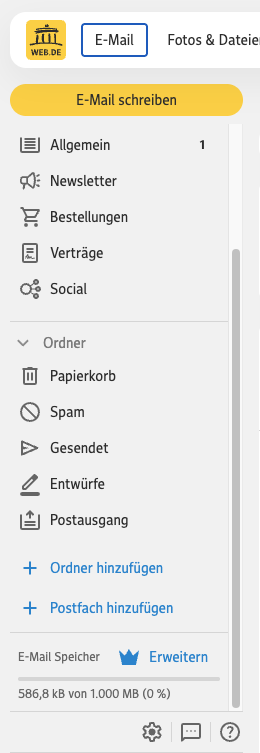 1Gear icon
 Eule Mailarchive
von Eule Consulting
Eule Mailarchive
von Eule Consulting
Web.de setup help
Before Eule Mailarchive can connect to a Web.de mailbox, Web.de must allow POP3/IMAP access in the web settings.
In Web.de Mail, click the small gear icon at the bottom left.
1Gear icon
In the E-Mail settings, open the menu item “POP3/IMAP Abruf”.
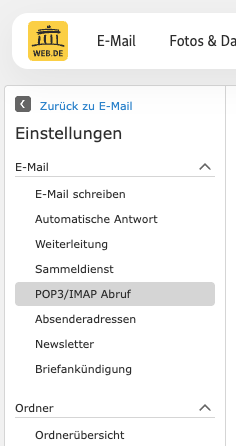 2POP3/IMAP Abruf
Tick “POP3 und IMAP Zugriff erlauben” and then click “Speichern”.
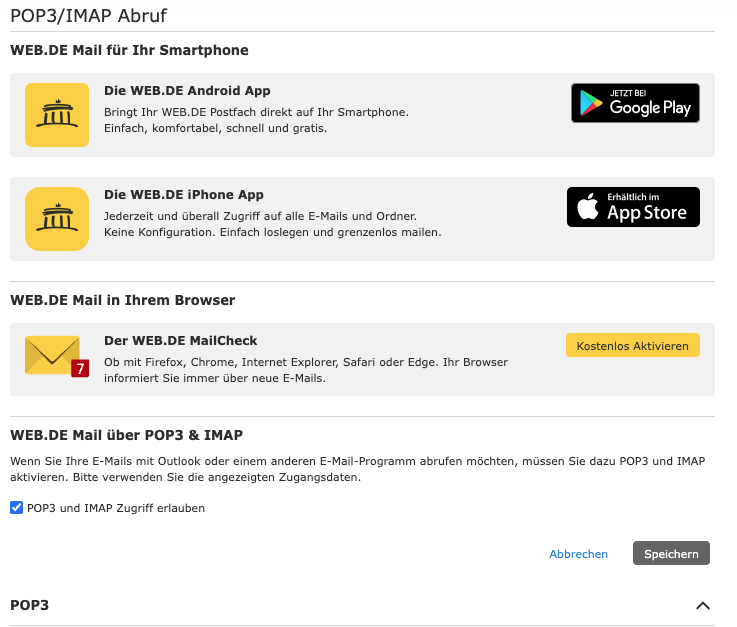 3Enable POP3/IMAP
4Save
3Enable POP3/IMAP
4Save
After that, return to Eule Mailarchive and test the connection again.